
Free Online Image Tools. Convert. Compress. Edit.
30+ browser-based tools to convert, compress, resize, and edit images in seconds. No uploads, no signups - 100% private.
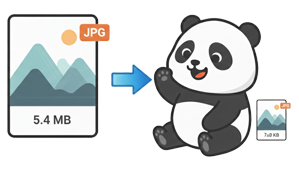
Image Compressor
Shrink photos up to 80% smaller while keeping them sharp and clear

Image Resizer
Set exact pixel dimensions for social media, thumbnails, or web banners

Background Remover
AI-powered background eraser for product photos and portraits
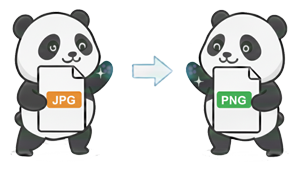
JPG → PNG
Add transparency support by switching JPG images to lossless PNG
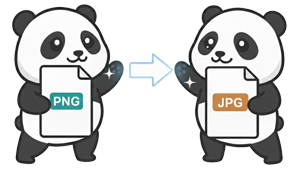
PNG → JPG
Shrink PNG files into compact JPG for faster sharing and uploads

JPG → WebP
Cut image weight by 30% with Google's modern WebP format

PNG → WebP
Keep transparency while slashing PNG file size with WebP

WebP → JPG
Make WebP files accessible on devices that lack WebP support

WebP → PNG
Export WebP images to editable, lossless PNG for design workflows

HEIC → JPG
Open iPhone photos on Windows and Android by converting HEIC to JPG

HEIC → PNG
Export Apple HEIC photos as lossless PNG for professional editing

AVIF → JPG
Make next-gen AVIF files viewable on older browsers and legacy apps

AVIF → PNG
Extract lossless PNG from AVIF for editing in Photoshop or Figma

JPG → AVIF
Halve your image file sizes with cutting-edge AVIF compression

PNG → AVIF
Crush PNG sizes up to 80% while keeping transparency and color depth

BMP → JPG
Compress bulky bitmap files into web-friendly JPG format

BMP → PNG
Modernize legacy bitmaps to PNG with transparency support

JPG → BMP
Generate uncompressed bitmap data for legacy hardware and software

PNG → BMP
Export raw bitmap files for CNC machines and specialized systems

JPG → ICO
Turn any photo into a polished website favicon in seconds

PNG → ICO
Create transparent browser tab icons from PNG logos and graphics

JPG → SVG
Vectorize raster photos into infinitely scalable SVG graphics

PNG → SVG
Transform pixel graphics into resolution-independent vector art

SVG → JPG
Rasterize vector artwork into shareable high-resolution JPG images

SVG → PNG
Export vector graphics as transparent PNG at any custom resolution
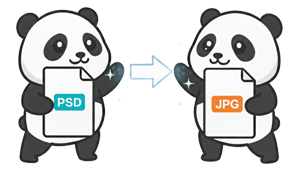
PSD → JPG
Preview and share Photoshop designs without Adobe software installed
PSD → PNG
Export Photoshop layers as transparent PNG for web and app assets

HTML → JPG
Capture web page layouts as pixel-perfect JPG screenshots instantly

HTML → PNG
Snapshot UI components as transparent PNG for design documentation

JPG → Word
Extract printed text from photos into editable Word documents via OCR

Word → JPG
Share documents as images on social media and messaging apps
Why Thousands of Users Trust TheIMGFile
TheIMGFile processes every image locally on your device - nothing ever leaves your browser. That means zero server uploads, zero data collection, and instant results. Whether you're a web developer optimizing assets, a photographer resizing shots, or a marketer creating social media graphics, our tools deliver professional-grade results without the professional price tag.
Sub-Second Processing Speed
Our tools leverage WebAssembly and multi-threaded browser APIs to process images in milliseconds. No server round-trips, no upload delays - your images are ready before you finish clicking.
Zero Data Collection Guarantee
We don't just say your files are private - we engineered it that way. All processing runs on your device. There are no server endpoints, no analytics on file content, and no data retention whatsoever.
Bulk Processing with ZIP Export
Handle 25 images simultaneously with our parallel processing engine. Download each file individually or grab everything in a single ZIP archive - streamlining your workflow significantly.
Universal Browser Compatibility
Built on progressive web standards, TheIMGFile works flawlessly on Chrome, Firefox, Safari, Edge, and Opera across Windows, macOS, Linux, Android, and iOS. No plugins or extensions needed.
Get Results in Four Quick Steps
No accounts, no downloads, no waiting. Process images directly in your browser with complete privacy.
Pick the Right Tool
Browse 30+ specialized tools: from format converters (JPG, PNG, WebP, AVIF, HEIC) to an image compressor, resizer, and AI background remover.
Drop Your Files
Drag and drop up to 25 files at once, or click to browse. We support JPG, PNG, WebP, HEIC, AVIF, BMP, SVG, PSD, and Word documents.
Watch It Happen Live
Processing starts instantly in your browser using advanced WebAssembly-powered algorithms. Watch real-time progress for each file.
Download Everything
Grab individual files or download all results as a single ZIP archive. No registration, no watermarks, no daily limits.
What Makes TheIMGFile Different
Explore Our Other File Tools
Our platform is part of a growing suite of file utilities. Process audio with The MP3 File, handle videos using The Video File, and optimize PDF with The PDF File.